I Fed My Tech Profile Into a Homepage Generator So I'd Never Have to Write "About My Projects" Again
Originally published on Medium
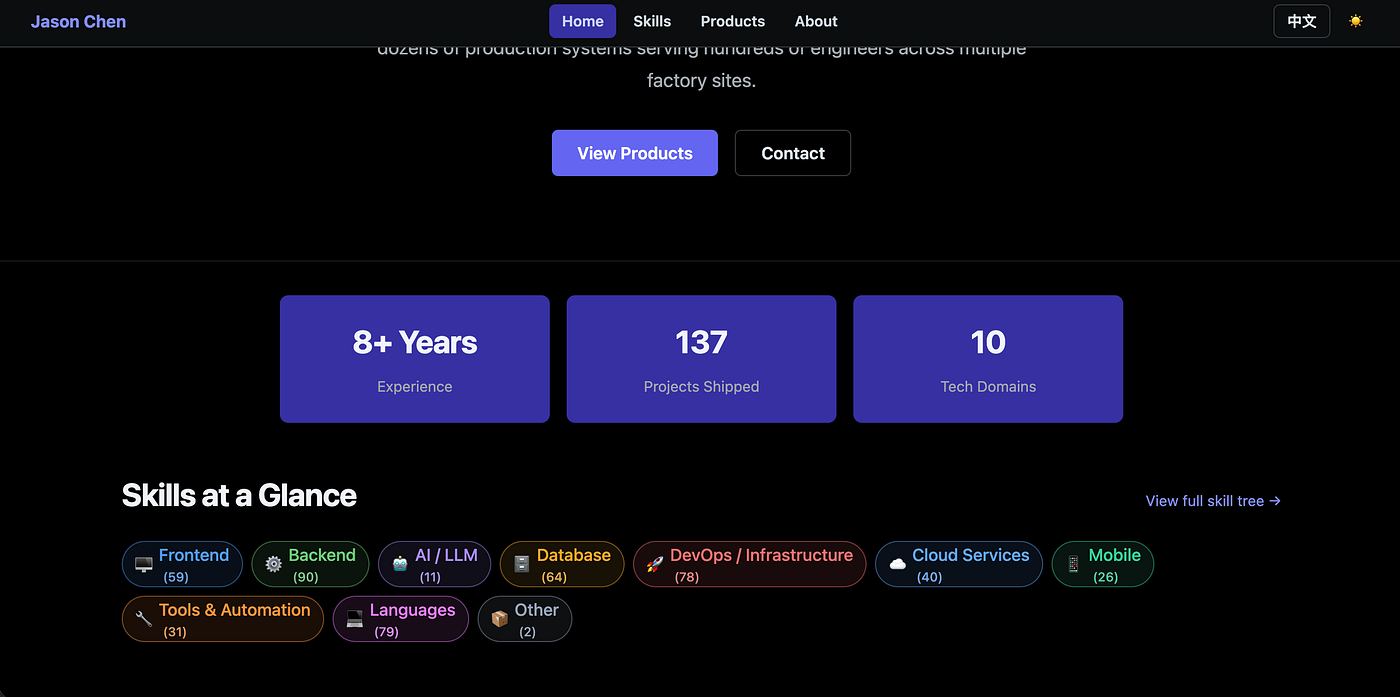
The stat block and domain grid — every number here comes straight out of the JSON, not a bio I typed.
A few weeks ago I solved the "documentation tax" problem — the tedious hours it takes to turn a codebase into a readable writeup. I wrote up how that skill works in How I Built a Claude Code Skill to Instantly Turn Any Codebase Into a Portfolio-Ready Doc — worth a quick read first if you want the full picture of how the tech profile JSON in this article actually gets generated. That earlier skill gave me a clean JSON file describing everything I've ever shipped. Then I hit the next wall: having the data is not the same as having a homepage.
Anyone who has tried to build a personal site knows the real trap. It's never the landing page hero section that kills you — it's the third section down, the one that says "Projects" or "Skills," where you're supposed to hand-write a paragraph for every single thing you've built. I have 137 of them. Writing 137 paragraphs is not a weekend project, it's a part-time job I didn't apply for.
So this time I didn't write a homepage. I built one that reads its own content from a file.
The Problem: A Homepage Is Just a Second Documentation Tax
Most personal sites go stale for the same reason most README.md files go stale: keeping them in sync with reality is boring, manual work. You ship a new project, and now there's a homepage section waiting for you to describe it, categorize it, and tag it with the right technologies. Skip that step once and the site is already behind.
I didn't want a homepage I had to feed. I wanted one that eats automatically.
What is
*portfolio-hub*?
portfolio-hub is a Next.js + Joy UI personal site that treats the tech-profile-*.json output from [codebase-to-portfolio](https://github.com/jasonChen0604/codebase-to-portfolio) as its actual data source — not as reference material I copy-paste from, but as the literal content the homepage and skills page render at build time.
Run the pipeline once against your local project folder, drop the JSON in, and the site rebuilds itself: domain summaries, skill trees, featured projects, even the bilingual toggle — all generated, none hand-written.
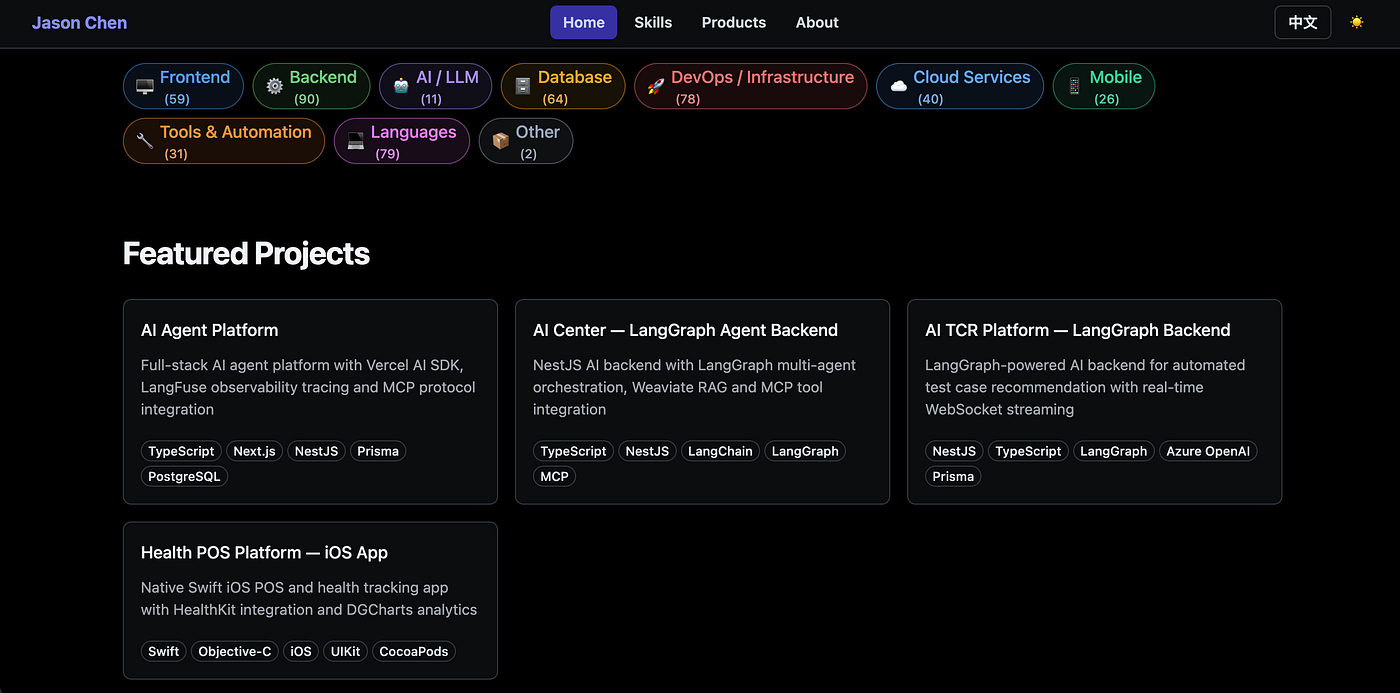
This is what "generated, none hand-written" actually looks like — real project cards, real tag lists, zero copy I typed myself.
Quick Start: From Codebase to Live Site
If you already ran codebase-to-portfolio and have a tech-profile/ JSON output sitting around, this is the whole setup:
git clone https://github.com/jasonChen0604/portfolio-hub.git
cd portfolio-hub
pnpm install

# drop your generated tech-profile JSON into the data directory
cp -r ~/path/to/tech-profile ./data/tech-profile

pnpm dev
Open localhost:3000 and your skill tree, project count, and domain breakdown are already there. Deploying is one more command:
pnpm run deploy:firebase
No content field to fill in. No "Projects" markdown file to maintain. The site is the JSON, rendered.
The Debugging Story: Three Walls I Didn't See Coming
Wall #1 — I started with a static About page, and it lied to me within a week.
My first instinct was the obvious one: paste the Markdown tech profile into a static about.tsx page and call it done. It looked great on day one. Then I finished two more side projects, regenerated the profile, and the homepage was instantly wrong again — same trap as the README, just relocated. That's when I realized the site had to consume the JSON, not a snapshot of it, or I'd be back to manual syncing forever.
Wall #2 — the bilingual switch quietly broke because of ID drift.
Once I wired the site to read tech-profile-en.json and tech-profile-zh.json directly, the English skill tree rendered fine but the Chinese version showed empty domain cards. I assumed it was a fetch issue and spent an hour checking network requests before I actually diffed the two files side by side. The real bug: domain labels were translated per language ("Frontend" vs. "前端"), but I was matching skill entries against the label string instead of a stable id field. The fix was to key everything off domain.id ("frontend", "backend", etc.) and only use the label for display — obvious in hindsight, expensive to find because the English version masked the bug completely.
Wall #3 — the headline project count was wrong, and it took a spreadsheet to notice.
The homepage stat block proudly said "140 Projects Shipped" for a while. It should've said 137. A tag like Firebase legitimately belongs in both the Cloud domain and the Mobile domain, so my first aggregation pass summed project_count across every domain a tag appeared in — double-counting any project that touched more than one domain. I only caught it because the number kept changing every time I re-ran the pipeline on the same unchanged codebase, which is the kind of bug that makes you doubt your own sanity for a bit. The fix was deduplicating by project id at the top level, and letting domains double-list a tag without double-counting the project.
There was a smaller, sharper scare too: on the first deploy, one display_name leaked an actual client company name instead of the sanitized project title. profile.config.json has a privacy_blocklist field for exactly this, and I'd simply forgotten to populate it before the first generate-tech-profile-json run. Re-running the skill with the blocklist filled in fixed it in under a minute — but it's the kind of mistake you want to catch before deploying, not after.
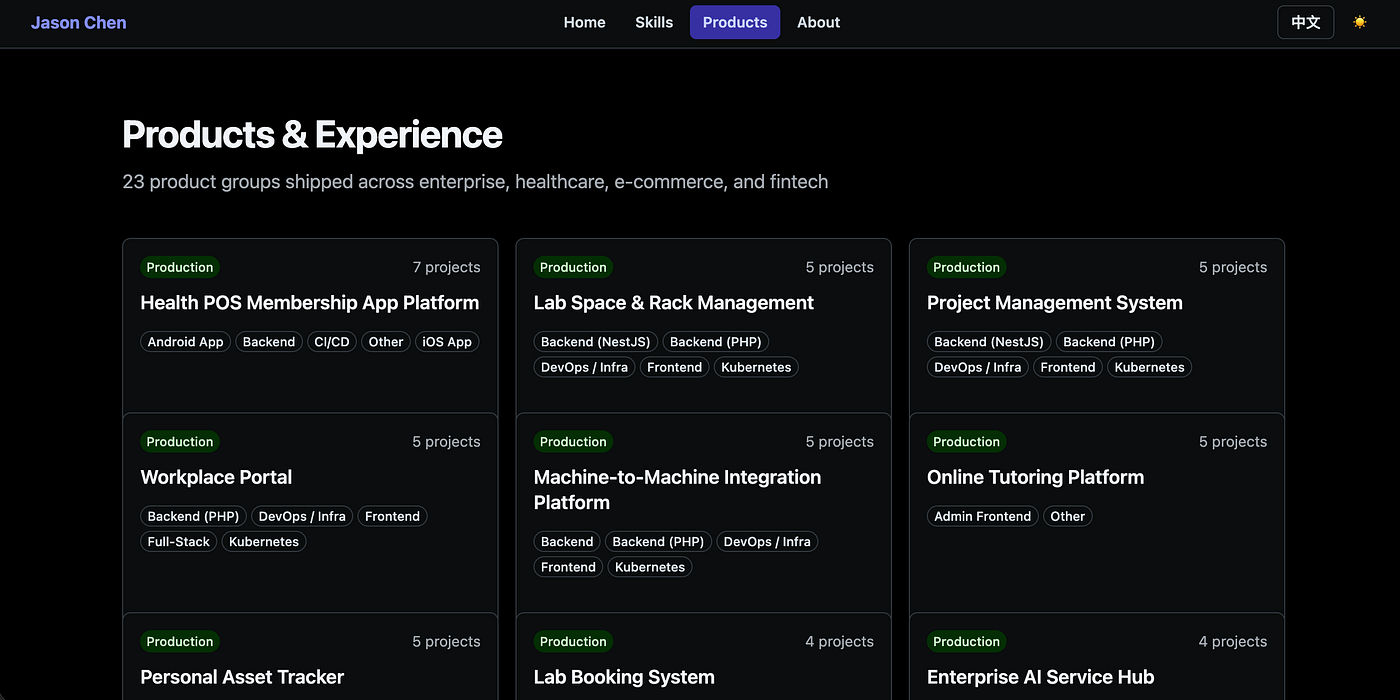
This is the page that made the double-counting bug obvious — 23 product groups, each with its own project count, all of it summed from the same ids the homepage total relies on.
| Item | What it does | Effect |
|---|---|---|
| tech-profile-*.json as data source | Homepage and Skills page read domain, skill, and project data directly from the pipeline output | Zero hand-written project blurbs -- the site is a renderer, not an editor |
| Stable domain.id keys | Every skill and tag is matched by ID, not by the translated label | Bilingual toggle (EN / Chinese) works off one schema, no duplicated content trees |
| Tag -> multi-domain mapping | A tag like Firebase can legitimately live under Cloud and Mobile | Skill tree reflects real usage instead of forcing one tag into one box |
| Project-level dedup for totals | Headline stats count unique project ids, not per-domain tag hits | "137 Projects Shipped" stays accurate no matter how many domains a project touches |
| privacy_blocklist in config | Sanitizes client/company names out of display_name before JSON generation | Safe to publish publicly without manually scrubbing every entry |
| Featured project flag | A handful of projects are marked featured: true in the source doc | Homepage surfaces flagship work instead of drowning it in 137 entries |
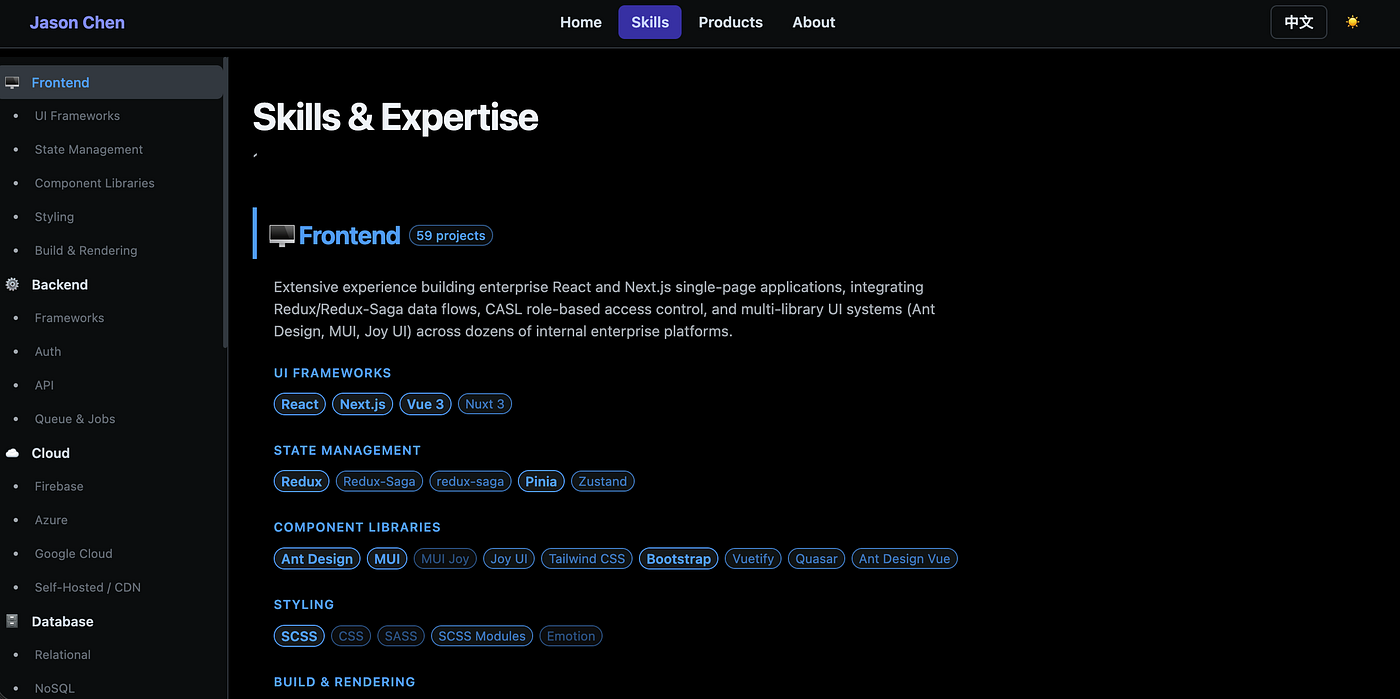
Every sub-category heading here — UI Frameworks, State Management, Styling — is derived from the domain mapping table in the skill, not typed into a CMS.
The result is a Skills page with ten expandable domains — Frontend, Backend, Cloud, Database, DevOps, AI/LLM, Mobile, Languages, Tools, Other — each one showing project counts, a one-paragraph domain summary, and every tag grouped into sub-categories like "UI Frameworks" or "Queue & Jobs." None of that copy exists anywhere as a file I wrote by hand. It's all derived from the same project docs the original skill generated.
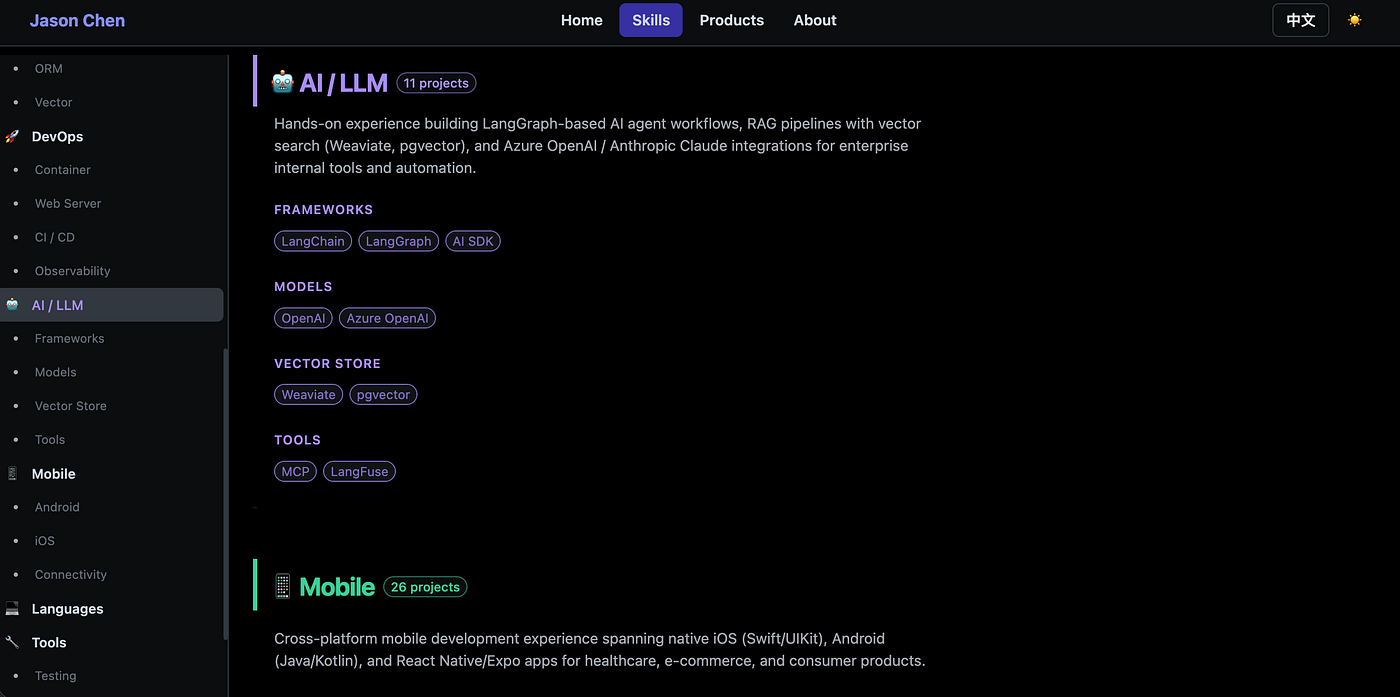
Scroll down and it's the same story for every domain — AI/LLM's 11 projects and Mobile's 26 both get their own generated summary paragraph, no copywriting required.
Wrap Up
The first skill solved the pain of writing one project's documentation. This one solves the pain of writing the page that lists all of them — and it means the homepage actually stays current, because updating it is just re-running a pipeline, not opening a text editor. If you've got a codebase-to-portfolio tech profile sitting around already, portfolio-hub is the fastest way I've found to turn it into something you can actually put in front of a recruiter.
- Live demo: jason-chen-1cb56.web.app
- GitHub — portfolio-hub: jasonChen0604/portfolio-hub
- GitHub — codebase-to-portfolio: jasonChen0604/codebase-to-portfolio
- Let's Connect: Jason Chen on LinkedIn
- Previous: How I Built a Claude Code Skill to Instantly Turn Any Codebase Into a Portfolio-Ready Doc
If your portfolio site is also quietly lying to visitors about what you shipped last month — what's stopping you from making it read from a file instead?